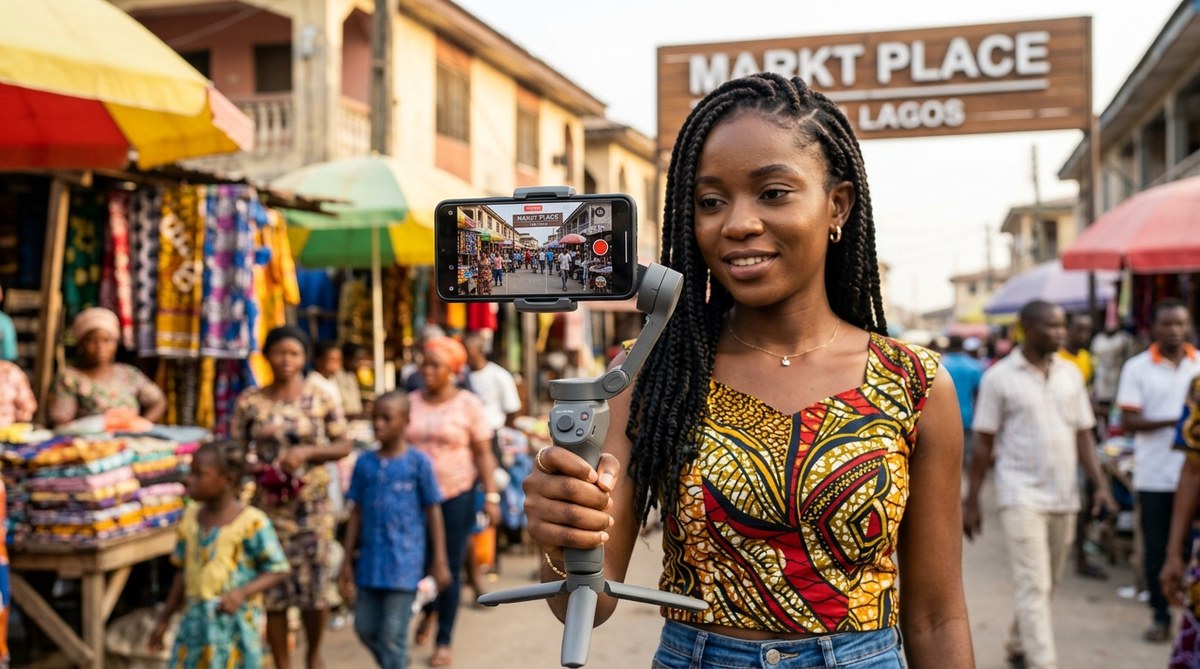
You are holding a tool that can earn you money. That phone in your pocket, the one with a scratched screen or a cracked corner, is capable of producing content that can build a brand, sell a product, or tell a story that travels across the continent. The gap between a blurry video and a professional looking reel is not the price of the phone. It is the knowledge of how to use it. In 2026, the African content creator who wins is not the one with the most expensive gear. It is the one who understands light, sound, and composition. Let me show you how to make that phone work for you.
You do not need a new phone to create great content. The best camera is the one you already own. By mastering three things (natural lighting, stable framing, and clean audio) you can produce videos and photos that compete with professionals. This guide gives you specific settings, hacks for low light, and editing tricks that work on any smartphone available in Africa today.
Master the Light Before You Touch the Settings
In Africa, you have an advantage that creators in cloudy climates do not. You have abundant sunlight. The problem is that most people use it wrong. Direct midday sun creates harsh shadows on faces and blows out the background. That is why many videos from the continent look overexposed.
The golden hours (the first hour after sunrise and the last hour before sunset) give you soft, warm light that makes skin tones look rich and natural. If you must shoot during midday, find a shaded spot under a tree or a building overhang. Do not stand in the sun. Stand in the shadow and face the open sky. That diffused light acts like a giant softbox.
For product shots (selling clothes, jewelry, or food) use a piece of white cardboard or foam board to bounce light back onto the subject. You can buy foam board at any stationery shop in Lagos, Nairobi, or Johannesburg for under two dollars. Place it opposite your main light source. This simple trick fills in shadows and makes products look premium.
The Three Step Setup for Stable Video
Shaky video screams amateur. You do not need a gimbal. You need a technique. Follow these three steps every time you record:
- Lock your elbows into your ribs. Tuck your arms tight against your body. This creates a human tripod. Breathe slowly and hold the exhale while recording.
- Use a wall or a table. If you are standing, lean against a wall. If you are sitting, place your elbows on a table. Physical stability is more important than any software stabilization.
- Record in 60 frames per second (fps). This gives you smooth motion. When you edit, you can slow the footage down to 30 fps for a cinematic look without stuttering.
If you shoot a lot of talking head videos for Instagram or TikTok, invest in a simple tripod with a phone mount. You can find one at a local electronics market for around 5000 Naira or 200 KES. It is the best money you will spend on your content setup.
Cleaning the Lens Is Not Optional
This sounds too simple to mention, but it is the number one mistake I see. Your phone spends the day in your pocket, your bag, or your hand. The lens collects grease, dust, and sweat. A dirty lens makes every photo look hazy and soft.
Wipe the lens with a soft cloth (your shirt works in a pinch) before every single shot. Do not use alcohol wipes on modern phone coatings. Just a dry microfiber cloth. You will instantly see sharper images and better contrast.
Camera Settings You Must Change Right Now
Your phone came with default settings that prioritize convenience over quality. Change these today:
| Setting | Default | Change To | Why |
|---|---|---|---|
| Video resolution | 1080p | 4K (if your phone supports it) | 4K gives you room to crop in editing without losing quality |
| Frame rate | Auto | 30 fps for talking heads, 60 fps for action | Consistent frame rate prevents flickering lights |
| Exposure | Auto | Lock exposure by tapping and holding the screen | Prevents the brightness from jumping around during a shot |
| Grid lines | Off | On (the rule of thirds grid) | Helps you frame subjects off center for a professional look |
| HDR | Auto | Off for video, On for photos | HDR video can look artificial; HDR photos save blown out skies |
Go into your camera settings right now and make these changes. You will see a difference in your next video.
Audio Is More Important Than Video
People will watch a slightly blurry video if the audio is clear. They will swipe away from a sharp video with bad audio. Your phone microphone picks up wind, traffic, and echo. That kills your content.
Here is a cheap hack that works across Africa. Buy a simple lavalier microphone that plugs into your headphone jack or USB port. They cost about 10 dollars on Jumia or at a local tech shop. Clip it to your collar, hide the wire under your shirt, and speak at a normal volume. Your audio will sound like a podcast.
If you cannot buy a mic, record in a quiet room with soft furniture (curtains, a couch, a bed) to absorb echo. Do not record in a tiled bathroom or an empty office. The echo will ruin the sound.
How to Edit on Your Phone Without a Computer
You do not need a laptop to edit professional content. Two free apps dominate the African market in 2026: CapCut and InShot. Both work offline once downloaded.
For photos, use Lightroom Mobile. The free version gives you color correction, exposure adjustment, and cropping tools. Do not use Instagram filters. They compress your image and make it look cheap.
When editing video, follow this order:
– Trim the beginning and end to remove dead air.
– Adjust the volume so dialogue is clear and background music is quiet.
– Add a subtle color grade. Increase contrast slightly and warm up the temperature for skin tones.
– Export at 1080p 30fps for social media. Do not export at 4K for Instagram or TikTok. The platform will compress it anyway.
Expert advice from a Nairobi based creator who grew her audience to 50k in six months: “Stop trying to look like a YouTuber from America. Use your local environment. Film at the market, film on the street, film in your compound. African audiences connect with real places. Your phone camera loves natural textures like red earth, green leaves, and bright fabric. Lean into that.”
Common Mistakes and How to Fix Them
- Zooming in digitally. Digital zoom crops the image and lowers quality. Walk closer to your subject instead.
- Shooting vertical for YouTube. YouTube and Facebook prefer horizontal video. TikTok and Instagram prefer vertical. Know where you are posting before you record.
- Ignoring the background. A messy background distracts from your face or product. Clear the space behind you. A plain wall or a curtain works perfectly.
- Using the front camera for everything. The front camera (selfie camera) has lower quality than the rear camera. Use the rear camera and look at the lens, not the screen. It takes practice but the quality jump is huge.
For more detailed advice on choosing a device that fits your specific needs, check out our guide on how to choose a smartphone for professional photography in Africa.
Building a Content Workflow That Saves Time
You do not have to spend hours editing every post. Create a repeatable workflow:
- Shoot in batches. Record five videos in one session. You already have the lighting and location set. Do it all at once.
- Save presets. In Lightroom Mobile, save a preset for your photos. Apply it with one tap.
- Use templates. In CapCut, create a template with your intro music and text style. Drop new footage into the template.
This workflow turns content creation from a chore into a habit. You can post three times a week without spending all day on it.
If you are still using an older phone and wondering if it is time to upgrade, read our breakdown of the top 10 budget smartphones dominating the African market in 2026. You might be surprised at what you can get for under $150.
Your Phone Is a Studio. Use It Like One.
The smartphone camera tips for content creation in Africa that matter most are not about buying new gear. They are about changing your approach. You have the sun, you have the locations, and you have the stories. Your phone is just the tool that captures them.
Start today. Clean your lens. Change your settings. Record a 30 second video in good light. Edit it in CapCut. Post it. Then do it again tomorrow. That repetition is what builds an audience, not a new phone.
For a broader look at how mobile technology is reshaping the continent, check out our article on emerging smartphone features transforming connectivity in Africa. The future of content creation is already in your hands. Go make something.