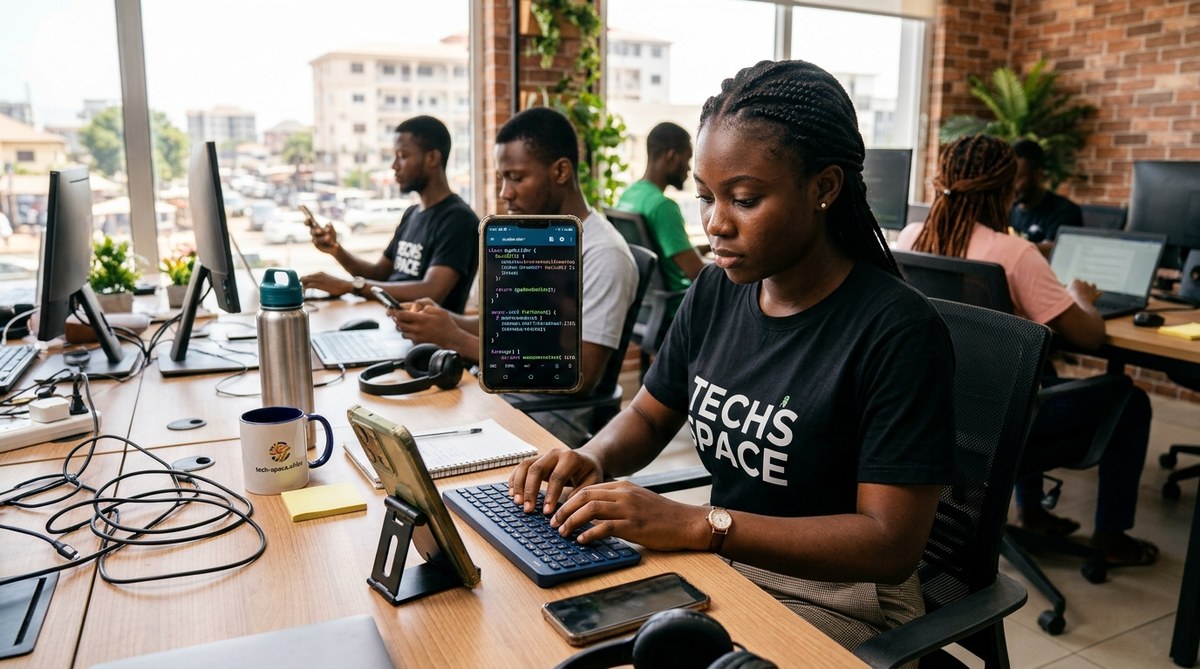
A young developer in Nairobi, Kenya, opens a code editor on a phone that costs less than $150. Within minutes, she pushes a commit to a live web application. This scene is not rare. It is happening every day across the continent. In 2026, the idea that you need a high-end laptop to build software is fading. African developers are proving that constraint breeds creativity. They are using cheap smartphones not as a fallback, but as a primary tool to code apps, manage servers, and launch startups.
African developers are turning budget smartphones into powerful coding machines by using lightweight IDEs, cloud-based development environments, and offline-first tools. This approach reduces hardware costs, increases accessibility, and unlocks a new wave of tech talent. The key is choosing the right apps, managing storage, and using mobile-optimized workflows that bypass the limits of cheap hardware.
The Real State of Smartphone Coding in Africa
Laptop ownership in many African markets remains expensive. A decent laptop can cost two to three months of salary for a junior developer. Meanwhile, a capable Android smartphone costs a fraction of that. According to recent industry reports, smartphone penetration in sub-Saharan Africa passed 55% in 2025, while laptop ownership hovers around 15%.
This gap forces a shift. Developers are not waiting for better hardware. They are adapting. They use tools like GitPod, CodeSandbox, and even terminal emulators on Android to write, test, and deploy code. The result is a generation of programmers who are experts at maximizing minimal resources.
Why Smartphones Work Better Than You Think
Many people assume coding on a phone is painful. The small screen and virtual keyboard seem limiting. But developers have found workarounds that turn these weaknesses into strengths.
- Cloud IDEs remove hardware limits. Services like GitHub Codespaces run the heavy lifting on remote servers. Your phone just needs a browser and a stable connection.
- Bluetooth keyboards are cheap and common. A $10 foldable keyboard transforms any smartphone into a mini workstation.
- Termux and similar apps provide a Linux terminal. You get package managers, Python, Node.js, and Git right on your Android device.
- Offline coding is possible. Apps like Pydroid and Dcoder let you write and run code without internet access. This is critical in areas with unreliable data plans.
The Top Tools African Developers Use in 2026
Here is a breakdown of the most popular tools and their trade-offs.
| Tool | Best For | Storage Needed | Internet Required | Key Limitation |
|---|---|---|---|---|
| GitHub Codespaces | Full stack web dev | 100 MB app | Yes | Costs money after free tier |
| Termux | Python, Node, Git | 50 MB | Partial | No GUI apps |
| Pydroid | Python on the go | 30 MB | No | Limited to Python |
| Dcoder | Multiple languages | 20 MB | No | Basic UI |
| CodeSandbox Mobile | React, JS projects | 80 MB | Yes | Slower on 2GB RAM phones |
A Practical Setup for Coding on a Budget Smartphone
If you are an aspiring developer or an educator looking to teach mobile coding, here is a step-by-step setup that works on most phones with 2GB to 3GB of RAM.
-
Install a terminal emulator. Download Termux from a trusted source. It gives you a Linux-like environment. Use it to install Python, Git, and Node.js via the
pkgcommand. -
Set up a cloud IDE account. Sign up for GitHub and activate Codespaces. This gives you a full VS Code environment in your browser. Bookmark the URL. It becomes your primary workspace.
-
Add a Bluetooth keyboard. Pair a compact foldable keyboard. This alone makes coding ten times faster. Touch typing on a glass screen is not sustainable for long sessions.
-
Install an offline code editor. Keep Pydroid or Dcoder as a backup. When the network drops (which happens often), you can still write and test scripts.
-
Use a local Git client. Termux includes Git. Initialize repos locally. Push changes when you get a strong signal. This prevents losing work during outages.
“I built my first payment integration entirely on a Tecno Spark 7. The screen was tiny, but Termux and a cheap keyboard were all I needed. I pushed the code to production from a matatu ride.” — James O., Nairobi-based developer and founder of a fintech startup.
Common Mistakes Developers Make When Coding on Phones
Even with the right tools, there are pitfalls. Avoiding them saves time and frustration.
- Ignoring battery management. Cheap phones have smaller batteries. Running a cloud IDE over 4G drains power. Carry a power bank or use offline editors for heavy work.
- Overloading storage. A phone with 16GB internal storage fills up fast. Use an SD card or external storage for media files and project assets. Keep your code repos lean.
- Skipping version control. It is tempting to just edit files directly. Do not do that. Use Git even for small projects. Phones crash. Files get lost.
- Using too many tabs. A browser with ten tabs and a cloud IDE will slow a 2GB RAM phone to a crawl. Close everything you do not need.
- Forgetting about data costs. Cloud IDEs stream a lot of data. If you are on a prepaid plan, use offline tools as much as possible. Sync only when you have Wi-Fi.
How This Changes the Developer Pipeline
The ability to code on a smartphone lowers the barrier to entry for thousands of young Africans. A teenager in a rural town without a laptop can now learn Python on a used smartphone bought for $50. This shifts who becomes a developer.
- More women enter tech. In many households, the family smartphone is shared, but it is more accessible than a personal laptop. Girls and young women use it to learn coding in their free time.
- University students supplement their learning. Many computer science students in Africa do not own laptops. They use their phones to complete assignments and build portfolios.
- Side hustles become real businesses. A developer in Lagos can build a simple booking app for a local salon using only a phone. They test it on friends, then launch it to paying customers.
The Limits You Should Know About
This is not a perfect solution. There are real constraints.
- Screen size is a problem for complex UI work. Designing detailed front-end layouts on a 6-inch screen is tough. Most developers use their phones for backend logic, API work, and scripting.
- Multitasking is limited. You cannot run a database server, a browser, and a code editor at the same time on a low-end phone. You learn to work sequentially.
- Eye strain is real. Staring at a small screen for hours is tiring. Developers take breaks and use larger fonts. Some invest in clip-on magnifying lenses.
- Certain languages are harder. Running Java or .NET on a phone is not practical. Python, JavaScript, PHP, and Go are more friendly to mobile workflows.
What This Means for Educators and Investors
If you are a tech journalist writing about innovation in emerging markets, or a diaspora investor looking for the next wave of talent, pay attention to this trend. The developers who learn to code on constrained hardware are often the ones who build resilient, efficient software. They understand resource management at a deep level.
For developer educators, consider creating courses that assume a smartphone as the primary device. Teach students how to use Termux, how to set up cloud IDEs, and how to manage Git from a mobile terminal. These skills are not secondary. They are foundational for the next generation of African tech talent.
For a broader look at the devices powering this movement, check out our guide to the Top 10 Budget Smartphones Dominating the African Market in 2026. And if you are thinking about which phone to buy for development work, our recommendations on the Best Smartphones for African Entrepreneurs in 2026 can help you decide.
The Future Is Mobile-First Development
The narrative that you need a MacBook to be a serious developer is outdated. In Africa, the smartphone is the device of choice for a growing number of coders. They are not waiting for the perfect conditions. They are building with what they have. That mindset is exactly what the tech world needs more of.
If you are reading this and you have only ever coded on a laptop, try one session on your phone. Install Termux. Write a Python script. Push it to GitHub. You might be surprised at how much you can accomplish with a device that fits in your pocket.