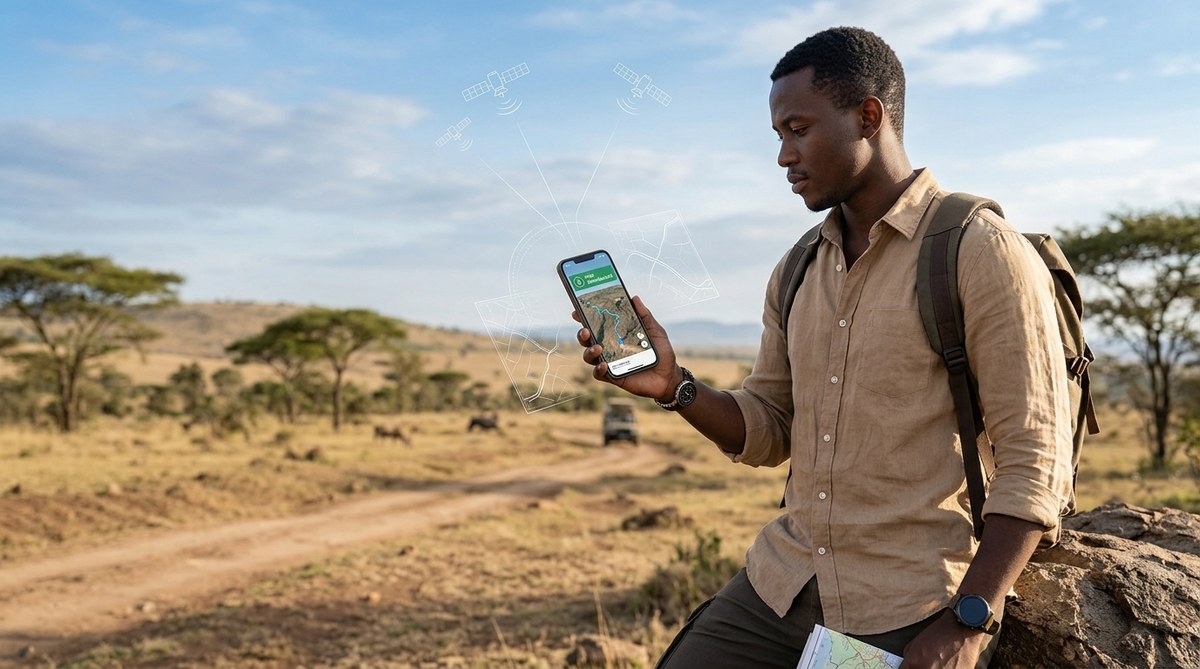
Your plane touches down in Nairobi, Accra, or Cape Town. You pull out your phone to check the route to your hotel, and nothing loads. Your roaming data is off. The airport Wi-Fi is spotty. You are staring at a blank screen in a city you do not know. This is exactly when knowing how to use your smartphone for offline navigation in Africa becomes your most valuable travel skill. The good news is that your phone, even without a signal, can guide you across the continent with surprising accuracy.
Offline navigation in Africa is fully possible with the right preparation. Download maps before you travel using Google Maps or MAPS.ME, save key locations as pins, and carry a backup power bank. Street addresses in many African cities are not grid based, so using landmark navigation alongside GPS coordinates gives the best results. No internet connection required.
Why Internet Maps Fail You in Africa
Mobile data coverage in Africa has grown massively, but it is still uneven. You might have full signal in downtown Lagos and zero bars thirty miles outside Arusha. Roaming charges between countries can drain your budget in one session. Many travelers buy a local SIM, but registration rules and setup time can leave you stranded on day one.
Offline navigation solves all of this. Your phone uses preloaded map data and the built in GPS chip, which works anywhere in the world without a cellular connection. The GPS signal is free, global, and always on.
The Two Best Apps for Offline Maps
You do not need a dozen apps. Two options cover almost every scenario across the continent.
Google Maps Offline Mode
Google Maps allows you to download specific regions directly to your phone. The offline version still provides driving, walking, and public transit directions. You can search for points of interest within the downloaded area. Traffic data is not available offline, but the roads and routes remain fully usable.
MAPS.ME for Detailed Walking and Rural Areas
MAPS.ME is built on OpenStreetMap data, which is often more detailed in rural African areas than Google’s maps. The app includes hiking trails, footpaths, and local market locations that bigger services miss. It is lightweight and works well on older phones. Many expatriates living in Africa rely on MAPS.ME as their daily driver.
If you are looking for a device that handles these apps smoothly, check out our guide on top 10 budget smartphones dominating the African market in 2026 to find a model that fits your trip.
Step by Step: Setting Up Offline Navigation Before You Go
Follow these steps at home or at your hotel while connected to Wi-Fi. Do not wait until you are on the road.
- Open Google Maps and tap your profile picture in the top right corner.
- Select “Offline maps” and then “Select your own map.”
- Adjust the rectangle to cover the city and surrounding areas you plan to visit. Drag the border wider than you think you need.
- Tap “Download.” The map size appears below the rectangle. Aim for under 2 GB per city.
- Name the map something memorable like “Nairobi Central” or “Cape Town Coast.”
- Once downloaded, open the app in airplane mode to confirm everything works.
- Repeat for every city on your itinerary.
For MAPS.ME, the process is similar. Download the app, then select countries or regions from the in-app map catalog. The entire country of Kenya is around 600 MB. The entire continent can fit on a 32 GB phone.
What to Save as Pins Before You Depart
A downloaded map is only useful if you know where you are going. Save these locations as bookmarks or pins while you still have internet.
- Your hotel or accommodation address
- The nearest hospital or clinic
- The local police station
- Your embassy or consulate
- Major bus stations and airports
- At least two grocery stores in each area
- A reliable landmark near your lodging
Do not rely on street numbers alone. Many African cities do not use formal street addressing. Save the GPS coordinates for your pins as well. You can access coordinates in Google Maps by long pressing any spot on the map.
Common Mistakes and How to Fix Them
Even experienced travelers slip up. Here is a table of the most frequent errors and the simple fixes that keep you on track.
| Mistake | Why It Happens | The Fix |
|---|---|---|
| Map area too small | Users select only the city center | Drag the download rectangle to include suburbs and major connecting roads |
| No backup app installed | One app fails to load a region | Keep both Google Maps and MAPS.ME on your phone |
| Forgetting to update maps | Roads change, new routes open | Refresh offline maps every 30 days if your trip is long |
| Battery dies midday | GPS and screen drain power fast | Carry a 10,000 mAh power bank and a charging cable |
| Wrong time zone on phone | GPS syncs incorrectly | Set phone time to automatic network time before going offline |
Using Landmarks for Navigation
Street addresses in Africa often do not follow the neat grid systems found in Europe or North America. A typical Kenyan address might say “next to the Total petrol station on Mombasa Road.” In Ghana, you hear “opposite the old post office.” This is not a sign of poor infrastructure. It is a different system that works well when you know how to use it.
Your offline map app can help by showing all petrol stations, churches, mosques, hospitals, and major hotels. Use these as waypoints. If your destination says “behind the Nakumatt supermarket,” find the supermarket on your downloaded map first, then zoom in.
Expert advice from a Nairobi based travel guide: “Tell the taxi driver the name of the shopping center nearest your destination, not the street name. Street names change every few blocks here. Everyone knows the shopping centers. Also, save a screenshot of your pin. If your phone dies, you can show the screenshot to a local and they will point the way.”
How to Navigate Between Cities Without Data
Long distance travel in Africa often means driving through stretches with zero signal for hours. The roads between major cities are generally well mapped, but you need to plan ahead.
Download the entire route corridor, not just the departure and arrival cities. On Google Maps, select a long rectangle that covers the highway corridor from start to finish. On MAPS.ME, download the whole region or province that the road passes through.
Keep your phone charged during the drive. The GPS chip uses more battery than you expect, especially if the phone is searching for a signal that does not exist. Put the phone in airplane mode to stop it from hunting for towers. This alone can double your battery life.
For more tips on keeping your device running in tough conditions, read our article on how to extend your smartphone’s battery life in Africa’s harsh climate.
What to Do If Your Phone Loses GPS Signal
GPS signals are generally reliable, but they can weaken in dense urban areas with tall buildings or under heavy tree cover. If your blue dot stops moving or jumps around, try these steps.
- Step outside and hold the phone flat, facing the sky.
- Turn airplane mode off and on again to reset the GPS radio.
- Open a navigation app and let it sit for thirty seconds without moving.
- Restart the phone completely if the dot stays frozen.
In most cases, the signal reconnects within a minute. Do not panic and do not start driving without a confirmed position.
Choosing the Right Smartphone for Offline Navigation
Not every phone handles offline maps equally well. A device with a weak GPS antenna will lose signal more often. A phone with a small screen makes reading maps while driving difficult. Battery capacity matters more than camera quality for navigation purposes.
Look for these features when selecting a phone for travel in Africa:
- A GPS chip that supports GLONASS or Galileo in addition to standard GPS
- A battery size of at least 4,000 mAh
- A screen that stays visible in direct sunlight (brightness of 600 nits or higher)
- At least 64 GB of storage for map files
If you are planning to buy a device specifically for your trip, our list of best smartphones for African entrepreneurs in 2026 includes models that travel well and handle offline navigation without lag.
The One Backup Method You Should Not Skip
Apps crash. Phones break. Batteries die. The most reliable backup for offline navigation in Africa is a simple screenshot.
Before you leave your hotel each morning, open your map app, zoom to your destination, and take a screenshot of the route. Crop out the extra white space. Save it to a folder called “Directions.” If your app freezes or your phone restarts, you still have a picture of the map on your camera roll.
This habit has saved me more than once in places where the sun was setting and the app would not load.
How to Find Petrol Stations and Rest Stops Offline
Your offline map can show points of interest even without data. On Google Maps, tap the search bar while offline and select a category like “gas stations” or “restaurants.” The app will show everything within your downloaded area.
On MAPS.ME, the icons for petrol stations, restaurants, and hospitals appear directly on the map at all zoom levels. You do not need to search. Just zoom in and scan for the familiar symbols.
Keep a mental note of how far you can go on a tank. Petrol stations in rural Africa can be 50 to 80 kilometers apart. Plan your fuel stops before you leave a town.
Understanding the Safety Side of Offline Navigation
Using your phone for directions in unfamiliar areas draws attention. Hold the phone low and avoid propping it on the dashboard in plain view. In some cities, phone snatching from vehicle windows is a known risk. Use a phone mount that attaches to the air vent rather than the windshield.
Download your maps before crossing a border. Some countries restrict map downloads while roaming due to local data regulations. Get everything saved while you are on a trusted Wi-Fi network.
For a broader look at staying safe with your device, see our guide on how to protect your smartphone from cyber threats in Africa in 2026. The same habits that protect your data also protect your travel experience.
What the New Smartphone Features in 2026 Mean for Offline Maps
Phone makers in 2026 are adding better offline capabilities as standard. Several new devices include dedicated GPS chips that draw less power and lock onto satellites faster. Some brands are preloading OpenStreetMap data on their phones sold in African markets.
The trend toward larger batteries and more efficient screens means you can navigate for a full day without recharging. Wireless charging is becoming common, and many safari lodges and hotels now offer wireless pads in guest rooms.
If you are curious about what is coming next, read our piece on emerging smartphone features transforming connectivity in Africa. The offline navigation tools are getting better every year.
Putting It All Together for Your Trip
You do not need a fancy phone or an expensive data plan to find your way around Africa. You need preparation. Download your maps before you leave. Save your pins. Carry a power bank. Take a screenshot of each day’s route. Learn the landmark system instead of fighting it.
Offline navigation in Africa works because the GPS satellites do not care where you are. They beam down the same signal whether you are on a highway in Texas or a dirt road in Tanzania. Your phone just needs the map data stored locally to make sense of that signal.
Download the maps tonight. Test them in airplane mode tomorrow. You will thank yourself when you land and your phone shows you exactly where to go.
Safe travels, and keep your phone charged.